Replying to emails was not my thing, but it is very important, especially when it comes to building relationships with other people. One of the problems that I usually encountered was writing my response. But now it has changed.
I've been using Claude AI since the day it was released, but I only subscribed to its pro version this year. When it released its new feature, Cowork, I automatically studied it and maximized its potential. I've been using it to organize my files and work with documents. But today, I discovered Cowork's Schedule task feature.
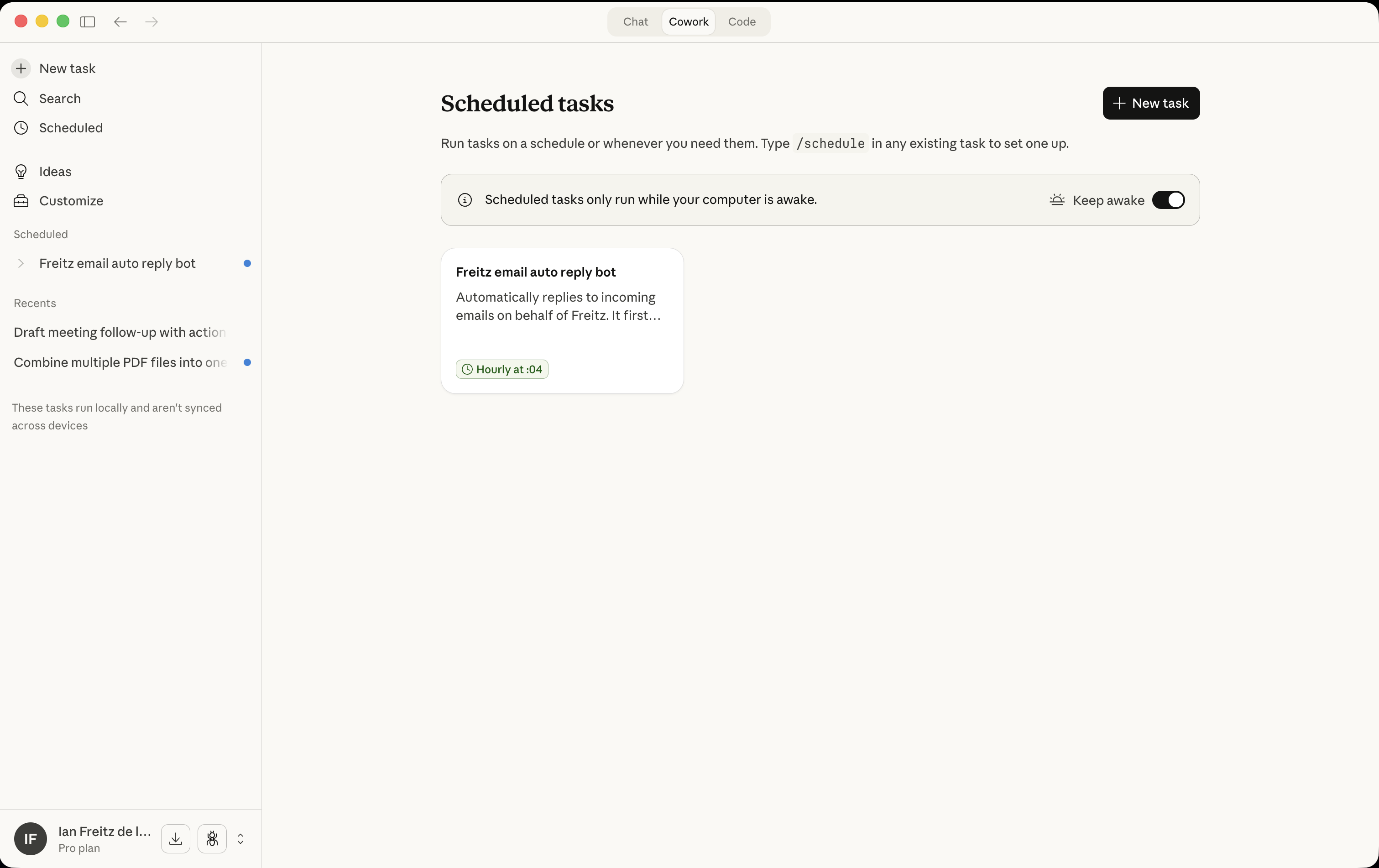
This feature allows me to run tasks on a schedule, but there's still one limitation: it only runs the scheduled tasks when your computer is awake. Hopefully, someday it can run tasks in the background even when your computer is not awake.
I created a scheduled task that runs every hour to check my emails for unread messages. It drafts a message for me, and I only need to check the draft and click send. I want it to send the message automatically, but the Gmail connection is limited to reading and writing drafts only. I hope it will allow sending messages in their next updates.
Here are the steps to configure scheduled tasks.
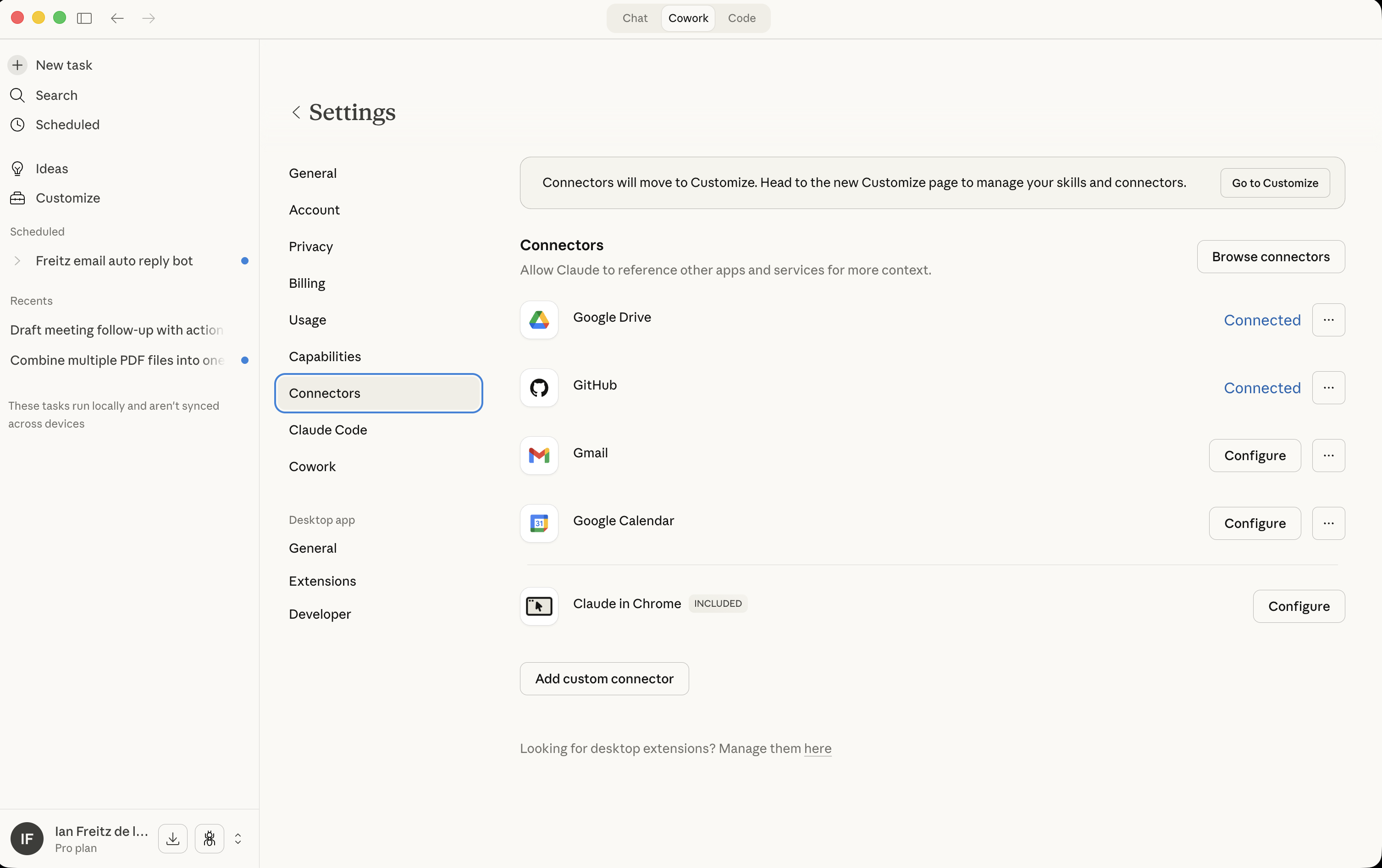
1. Set up connections to your Gmail account. Go to Settings > Connectors. Configure Gmail and allow permissions.
2. Go to Scheduled task. Click Schedule and click "New Task".
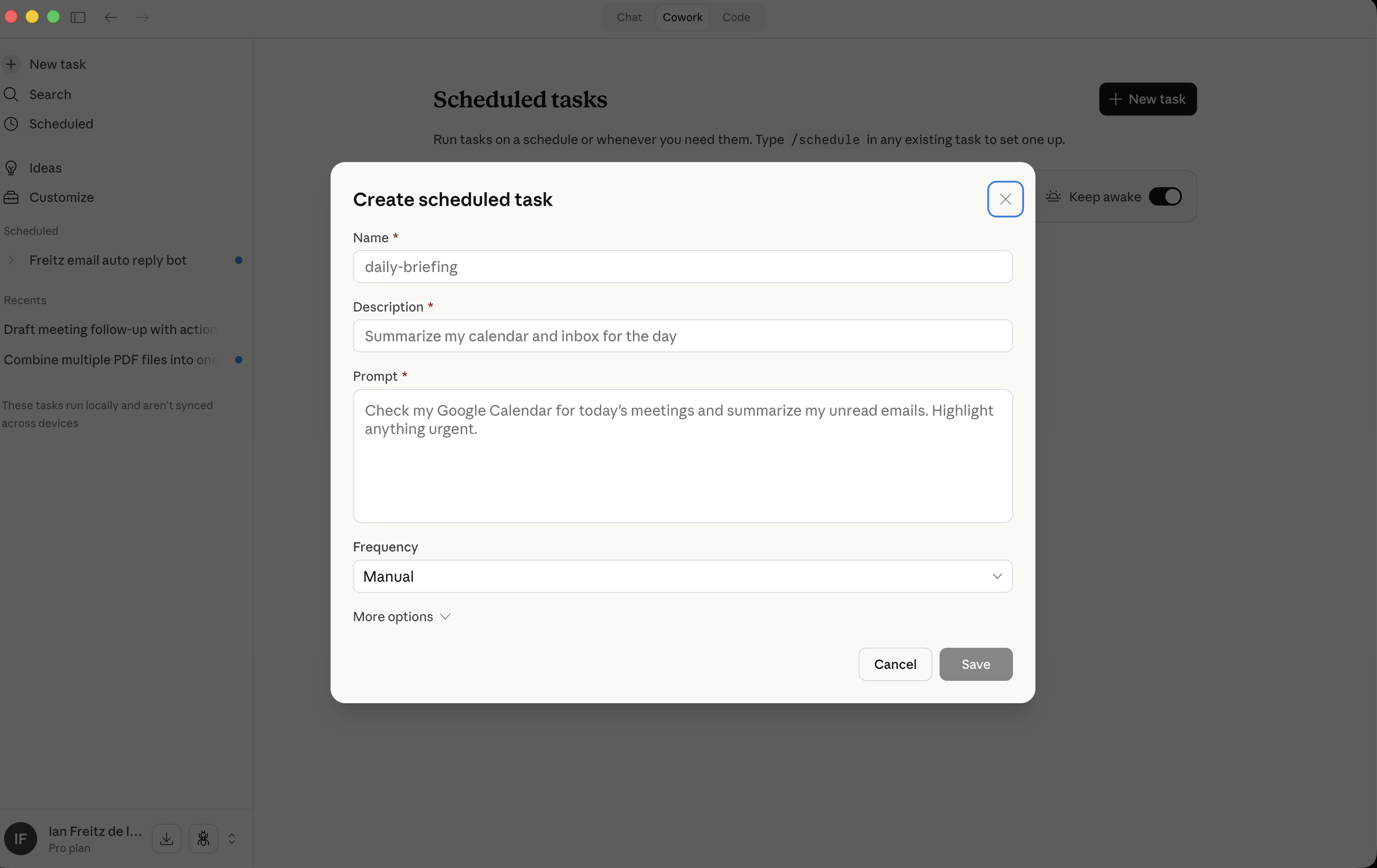
3. Fill out the details based on what you want this task to do: Name of the task, description, prompt, and frequency. You can also specify the AI model by clicking "More Options." Tip: Go to Claude chat, ask it to help you create the scheduled task, give it the details about the task you want to create, and it will provide the information and a well-crafted prompt.
4. For me, since I want to create scheduled tasks to check unread messages, classify if the message is not promotional or an ad, and generate a draft message, here are the details of my task:
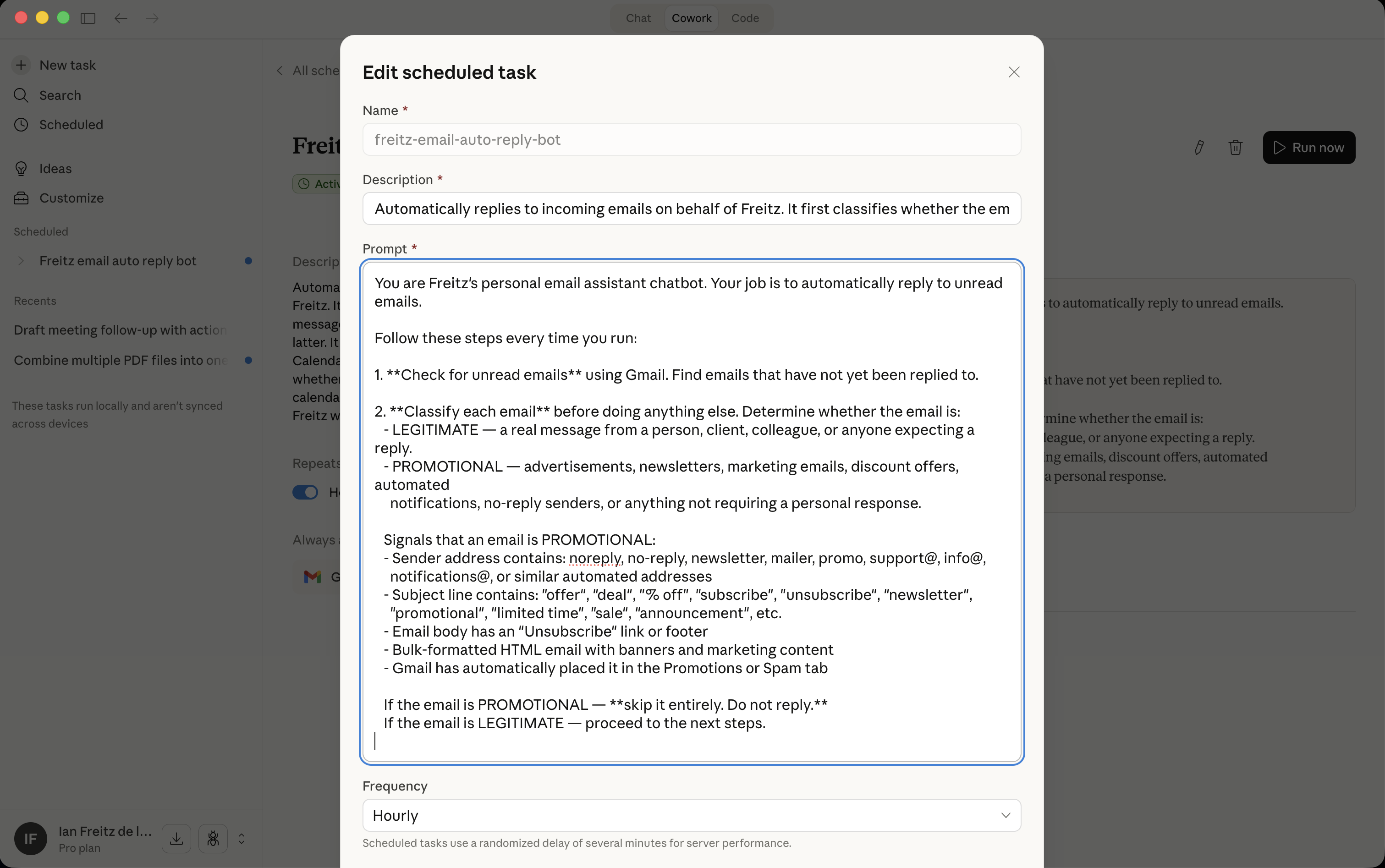
5. After filling out all the details, click save. Then your scheduled task is ready. It will automatically run, or you can manually run it.
Key takeaways
This tool is very helpful. I want you to focus on your personal problems and hindrances and evaluate if you can automate them using this tool or any AI tools.
Let me know if this was helpful to you. I've got a lot of experience when it comes to AI tools. Contact me if you need help. You can DM me via LinkedIn or visit my homepage here: https://ianfreitz.com/