There is a new approach to software development because of AI. What I’m going to share with you is based on my learning and experience over the whole past year using AI, and believe me when I tell you that it’s been a year since I wrote code myself. I call this approach “AI-First Software Development”.
First things first, I want to tell you that there is no one standard or silver-bullet approach. You just have to be creative and find a way that suits your situation. The approach I’m going to share works for me and hopefully works for you too. So let’s start. This approach has 3 phases, which are Planning, Implementation, and Testing & Verification.
Planning. This is a very important and crucial part because it creates the foundation of all the work. In this phase, I present the AI with the idea or task that I want to accomplish. Then I ask it to help me plan it by asking me a set of questions and giving recommendations to polish the idea. When the idea is polished, I then ask it to break it down into milestones. Each milestone will then be broken down into small tickets/issues. And here’s the important part: you need to ask the AI to classify the tickets as “AFK” or “HITL”. AFK (Away From Keyboard) means the AI can work on it autonomously without me. HITL (Human In The Loop) means the AI can’t work on it because it needs my decision.
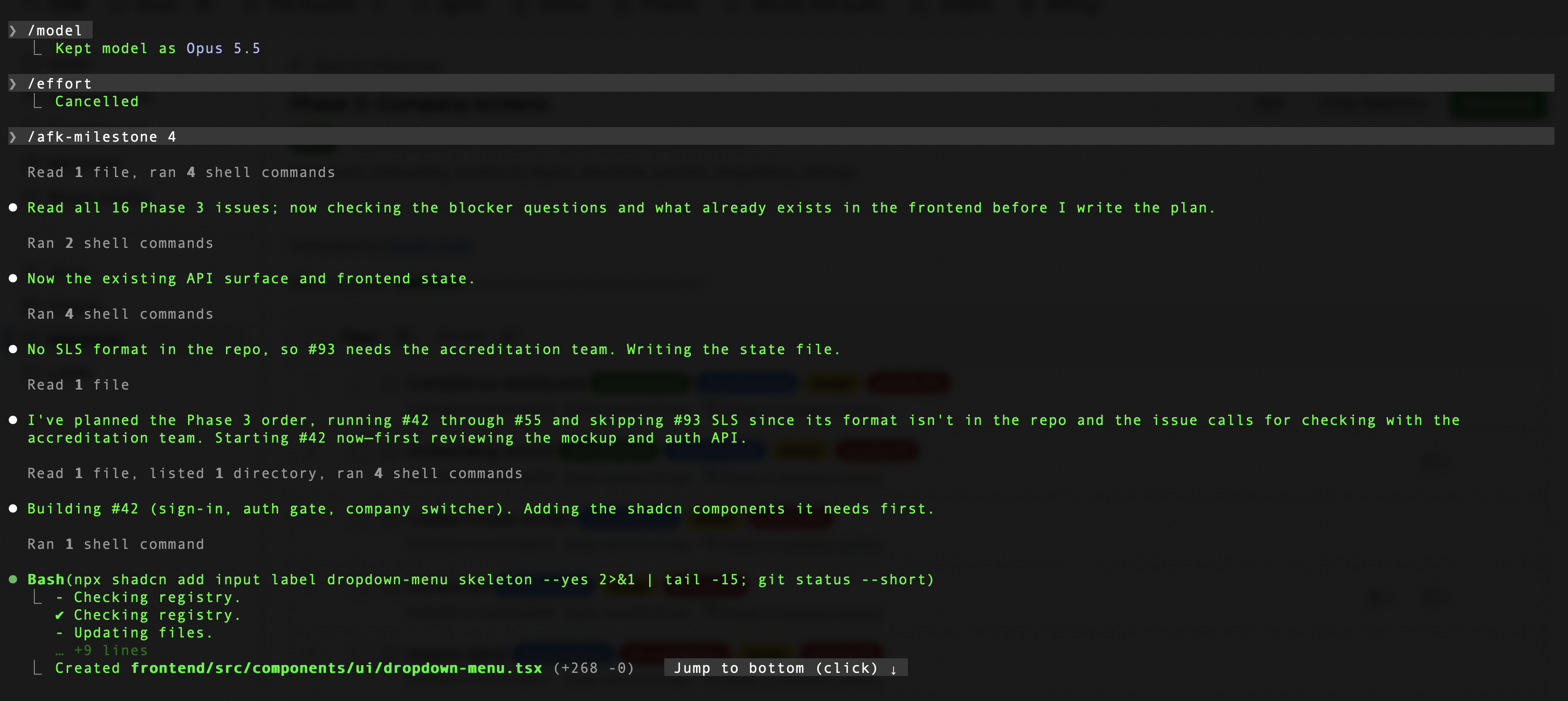
Implementation. Now that I am done with the planning, I put it into GitHub Projects (the project management tool I use). You can use any project management tool as long as AI can connect to it. In this phase, you have to work first on the tickets that are classified as HITL and finish all of them first. After you finish them, the AI can then work on the tickets that are classified as AFK. To work on them, I created a custom skill which I call AFK mode. To trigger this skill, I just need to provide the milestone, and it will automatically call GitHub Projects, check the tickets under that milestone, and start working on them. Here are the steps it follows: Check milestone -> Check tickets -> Work on each ticket -> Write the code, create pull requests, merge the PR -> Close the ticket -> Move to the next ticket until all of them are finished. In AFK mode, I can just leave my computer open and it will just continue working. Btw, I left my computer over the weekend and it just kept working. Here are the challenges and problems I encountered:
First, it will reach the context window limit or condense the context. When this happens, the AI is prone to hallucination. I fixed it by asking it to start a new context whenever it is near the limit.
Second, it will reach the token usage limit. When this happens, it will stop working. I fixed it by configuring it to start and continue working automatically when the usage resets.
Lastly, it will consume too many tokens and you will hit your token usage limit early. My first design for this skill was to work in parallel if there are tickets that don’t depend on each other. It would spawn multiple sub-agents. But I realized I didn’t really need them. So I fixed it by modifying the skill to work on one ticket at a time.
Testing & Verification. In this phase, you really have to test and verify the output of the AI. It needs your judgment to decide whether it really met all the criteria and is working properly according to plan.
In conclusion, this approach works for me and might not work for you. AI really changed the way we do things, and you just have to be creative and find an approach that works for you. At the end of the day, we just want to make our work easier and improve our lives, and AI can help you with that.